
Copiers, printers, and multifunction devices (MFPs) are essential tools in today’s modern offices. Whether you rely on them for printing documents, making copies, or scanning files, optimizing their performance can significantly enhance productivity and efficiency. Here are some valuable tips to help you get the most out of your copier, printer, or MFP, enabling you to streamline workflows and maximize output.
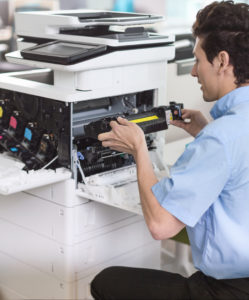
DEXpert Sales, Supplies and Service for your Copiers and Printers Maximizes Business Efficiency
1. Familiarize Yourself with the User Manual:
To truly harness the capabilities of your device, start by thoroughly reading the user manual. It may seem mundane, but the manual contains valuable information about various functions, settings, and troubleshooting options. Understanding your equipment’s features and specifications will empower you to make the most of its capabilities.
2. Select the Right Equipment for Your Needs:
Different offices have different requirements, so it’s crucial to choose a copier, printer, or MFP that aligns with your specific needs. Your DEX Imaging representative will help you choose the best equipment to fit those needs by consulting with you about factors like print volume, speed, color requirements and paper handling capabilities. Investing in the right equipment from the start ensures that it can handle your workload efficiently and prevents frequent upgrades.
3. Optimize Print Settings:
Print settings play a significant role in both output quality and resource utilization. Customize your settings to match the requirements of each print job. For example, choose draft or grayscale mode for internal documents or adjust print quality for a balance between quality and speed. Duplex printing (printing on both sides) is another effective way to reduce paper waste.
4. Utilize Advanced Features:
Modern copiers, printers, and MFPs offer a range of advanced features that can enhance productivity. Explore options such as automatic document feeders (ADFs) for quick scanning, stapling or hole-punching attachments for professional finishing, and secure printing for sensitive documents. Familiarize yourself with these features and incorporate them into your workflows to optimize efficiency.
5. Regular Maintenance and Cleaning:
Proper maintenance is key to ensuring the longevity and optimal performance of your equipment. Our DEXpert service technicians keep you up to date on the manufacturer’s recommended maintenance schedule, which may include tasks like cleaning print heads, replacing ink or toner cartridges, and clearing paper jams. Regular cleaning helps prevent issues and keeps your devices running smoothly.
6. Update Firmware and Software:
Manufacturers often release firmware and software updates to improve performance and address security vulnerabilities. Our DEX Imaging support team stands ready to keep your equipment up to date with these updates, allowing you to benefit from the latest enhancements and ensure the security of your devices and network. We regularly check each manufacturers’ website and can enable automatic updates for seamless maintenance.
7. Implement Print Management Software:
Print management software provides valuable insights into printing habits, allowing you to monitor usage, track costs, and enforce print policies. It can help identify areas for improvement, reduce unnecessary printing, and enhance security by requiring user authentication for print jobs. Ask us about our options, and consider implementing print management software to gain better control over your printing environment.
8. Train Employees on Best Practices:
Lastly, DEX Imaging helps you educate your employees on efficient printing practices, encouraging them to print only when necessary, use appropriate settings, and utilize digital alternatives when possible. We’ll work with your staff to conduct training sessions or share informative resources to raise awareness about responsible printing habits and foster a culture of sustainability.
By implementing these steps, DEX will help you optimize the performance of your copier, printer, or MFP, ultimately improving productivity, reducing costs, and minimizing environmental impact. From selecting the right equipment to leveraging advanced features and maintaining regular upkeep, we are with you every step of the way, helping you achieve maximized efficiency. By embracing these practices DEX Imaging empowers your office to achieve its printing goals while operating in a sustainable and resource-conscious manner.
Information Request
Looking for more information about a product or service from DEX Imaging? Fill out this form and we'll get right back to you.