
Why Go Wireless?
Wireless printing eliminates the need for physical connections, allowing multiple users to print from various devices—including laptops, smartphones, and tablets—without the hassle of cables. This enhances flexibility, supports remote and hybrid work models, and reduces office clutter.
Common Wireless Connectivity Options
1. Wi-Fi Direct
Wi-Fi Direct enables a direct connection between a device and a printer without requiring an intermediary network. This is particularly useful in situations where users need quick access to print resources without connecting to an office or home Wi-Fi network.
Pros:
- No need for a router or access point
- Quick and easy setup
Cons:
- Limited range compared to traditional Wi-Fi networks
- Can pose security risks if not properly managed
2. Network Wi-Fi Printing
Most modern printers can connect to a Wi-Fi network, allowing all devices on that network to send print jobs wirelessly. This is the most common and scalable solution for businesses.
Pros:
- Supports multiple users
- Allows for centralized printer management
Cons:
- Requires network access and setup
- May experience interference or slower speeds if the network is congested
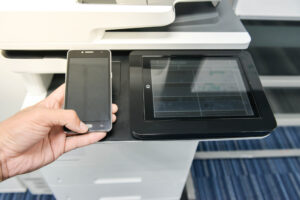 3. Bluetooth Printing
Some printers and copiers support Bluetooth connectivity, which allows nearby devices to send print jobs directly.
Pros:
- No need for an internet connection
- Works well for short distances
Cons:
- Slower data transfer speeds
- Limited to short-range connections (typically within 30 feet)
4. Cloud Printing
Cloud printing services like Google Cloud Print (discontinued but replaced by alternatives) or manufacturer-specific solutions (such as Epson Connect and Brother iPrint&Scan) enable users to print from anywhere using an internet connection.
Pros:
- Remote printing capability
- Works across different networks and locations
Cons:
- Requires an internet connection
- May involve additional security configurations
5. Near Field Communication (NFC) Printing
NFC printing allows users to tap their smartphone or tablet against an NFC-enabled printer to initiate a print job.
Pros:
- Extremely quick and easy setup
- No need for network access
Cons:
- Requires an NFC-compatible printer and device
- Limited to close proximity
Best Practices for Wireless Printing
- Ensure strong network security: Use WPA2/WPA3 encryption and disable unnecessary access points to prevent unauthorized use.
- Keep firmware up to date: Regular updates ensure better performance and security.
- Optimize network bandwidth: If multiple users are printing wirelessly, ensure your Wi-Fi network has sufficient bandwidth to handle the traffic.
- Use dedicated printing apps: Many manufacturers offer mobile apps for a smoother wireless printing experience.
Conclusion
Wireless connectivity capabilities in printers and copiers offers unparalleled convenience and flexibility. Whether through Wi-Fi Direct, network Wi-Fi, Bluetooth, cloud printing, or NFC, businesses and home users can choose the best option based on their needs. By understanding the pros and cons of each method and implementing best practices, you can maximize efficiency while ensuring a secure and seamless printing experience.
If you’re looking to expand the wireless print capabilities in your business, reach out to us using the form below.