
Office printers and copiers are no longer just standalone devices that churn out physical copies of documents. They have evolved into multifunctional hubs that can seamlessly integrate into your office’s digital ecosystem. Advanced connectivity options have become a crucial aspect of modern devices, streamlining workflows, enhancing productivity, and enabling collaboration. Let’s take a look at some of the advanced connectivity options available for office printers and copiers today.
1. Wireless Connectivity
Gone are the days of being tethered to a printer or copier by a mass of cables. Wireless connectivity options have revolutionized the way we print and copy documents in the office. Most modern printers and copiers come equipped with Wi-Fi connectivity, allowing users to print or copy from their laptops, smartphones, and tablets without the need for physical connections. This flexibility not only simplifies the printing process but also enables employees to work from various locations within the office.
2. Cloud Integration
Cloud technology has transformed the way businesses handle data and documents. Office printers and copiers can now seamlessly integrate with popular cloud storage services such as Google Drive, Dropbox, and Microsoft OneDrive. This integration allows users to access and print documents stored in the cloud directly from the device’s interface, eliminating the need to transfer files manually. Additionally, scanned documents can be uploaded directly to the cloud, making it easier to collaborate and share information with colleagues.
3. Mobile Printing
The rise of mobile devices in the workplace has led to a growing demand for mobile printing solutions. Advanced office printers and copiers support mobile printing protocols such as Apple AirPrint, Google Cloud Print, and Mopria. These technologies enable employees to print directly from their smartphones or tablets, enhancing convenience and productivity. Mobile printing also allows guests and clients to print documents easily when visiting your office.
4. NFC (Near Field Communication)
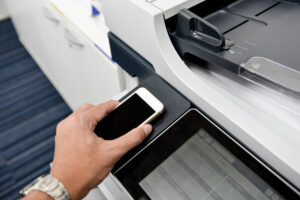
Near Field Communication (NFC) technology is another advanced connectivity option that simplifies the printing and copying process. With NFC-enabled devices, users can simply tap their smartphones or tablets on the printer or copier’s NFC sensor to initiate a print or copy job. This technology not only reduces the time spent configuring printing settings but also enhances security by ensuring that only authorized users can access the device.
5. Mobile Apps and Remote Management
Many office printer and copier manufacturers provide dedicated mobile apps that allow users to control and manage their devices remotely. These apps often offer features like monitoring toner levels, ordering supplies, and troubleshooting issues without the need for IT support. Additionally, remote management capabilities make it easier for IT administrators to configure and maintain multiple devices across the office network.
6. Advanced Security Features
As connectivity options expand, so do security concerns. Advanced office printers and copiers come equipped with robust security features to protect sensitive documents and prevent unauthorized access. These features may include user authentication, data encryption, and secure printing options. Additionally, remote monitoring and auditing tools help IT administrators keep a close eye on device usage and security.
In Summary
The world of office printers and copiers has evolved significantly, offering a range of advanced connectivity options that cater to the changing needs of modern businesses. From wireless connectivity and cloud integration to mobile printing and NFC technology, these features have transformed these devices into indispensable tools for enhancing productivity and collaboration in the office. As you consider upgrading your office’s printing and copying equipment, be sure to speak with us to explore these advanced connectivity options to unlock their full potential and take your office’s efficiency to the next level.
Request For Information
Looking for information about general services.