
Securing your sensitive data involves much more than just protecting computers and mobile devices. Office printers and copiers, often overlooked, can pose significant security risks if not properly managed. These devices frequently handle confidential information—from financial statements to employee records—that, if compromised, could have severe consequences for your organization. Here are the top methods to ensure your office printer and copier remain secure.
1. Secure User Authentication
Implementing secure user authentication is the first step toward safeguarding your information. Multifunction printers and copiers should require users to authenticate themselves via PIN codes, badge readers, or secure credentials. This limits access strictly to authorized personnel, reducing the risk of unauthorized users obtaining sensitive documents.
2. Data Encryption
Encryption is critical for data both in transit and stored on the device’s hard drive. Ensure that your printer or copier supports data encryption standards such as AES (Advanced Encryption Standard). Encrypting print jobs means that even if a breach occurs, the data is unintelligible without the corresponding encryption key.
3. Regular Firmware Updates
Printers and copiers, just like computers, need regular software updates. Manufacturers regularly release security patches and firmware updates designed to address vulnerabilities. Establish a consistent schedule for checking and applying these updates to reduce exposure to known threats.
 4. Secure Printing Practices
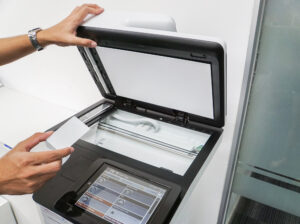
Secure printing practices—such as pull printing—ensure documents aren’t left unattended in output trays, reducing the risk of sensitive information falling into the wrong hands. With pull printing, the print job is held securely until the user authenticates at the device, significantly reducing accidental exposure.
5. Hard Drive Management
Modern printers and copiers contain hard drives that store information about processed documents. Regularly wiping or securely overwriting this stored data—especially before returning leased equipment or disposing of devices—is essential. Consider printers with built-in secure erase capabilities to simplify this critical process.
6. Network Security Controls
Printers and copiers connected to your office network must be protected behind secure firewalls, regularly monitored, and configured correctly to prevent unauthorized network access. Disable unnecessary network services, protocols, and ports to minimize vulnerabilities.
7. Educating Employees
Often, the most vulnerable point in securing devices is the human factor. Ensure employees understand the importance of security practices, including recognizing suspicious activity, reporting printer-related security incidents promptly, and following established procedures for handling sensitive information.
Conclusion
By implementing these essential security measures, your organization can significantly mitigate the risks associated with printers and copiers, protecting sensitive data effectively. A proactive approach to printer security safeguards your business reputation, compliance, and overall operational integrity.
Need further advice on protecting your print environment? Connect with our specialists for personalized recommendations tailored to your business.