
Copiers and printers are robust tools that, like any other technology, require a stable and reliable power supply to function properly. Ensuring these machines run smoothly requires understanding their power requirements and implementing proper setup and maintenance procedures. In this article, we will delve into their power requirements, the importance of uninterruptible power supplies (UPS), and the best practices for maintaining and powering down these devices.
Understanding Power Requirements
Modern business copiers and printers are sophisticated devices that require stable and adequate power supplies to function optimally. The power requirements can vary based on the type and model of the device:
- Small Office Printers: Typically require a standard 120V outlet and consume between 250-500 watts during operation.
- Mid-Range Multifunction Printers (MFPs): These can demand 600-1500 watts when in use, with a significant power draw during warm-up phases.
- High-End, Large Format or High-Volume Copiers and Printers: Large-scale machines may require dedicated 220V lines and can consume upwards of 1500 watts, especially during peak usage times.
Setting Up Your Equipment
- Dedicated Circuits: For high-end and mid-range devices, it’s crucial to connect them to dedicated electrical circuits to prevent overloads and ensure consistent performance.
- Stable Voltage: Ensure your power source provides stable voltage. Fluctuations can damage sensitive components and reduce the lifespan of the equipment.
- Proper Grounding: Proper grounding of electrical outlets is essential to prevent electrical shocks and equipment malfunctions.
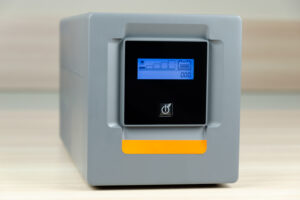 Using Uninterruptible Power Supplies (UPS)
Power interruptions can cause data loss, incomplete prints, and potential damage to the internal components of copiers and printers. Using a UPS provides several benefits:
- Continuous Power Supply: A UPS ensures that the device continues to receive power during outages, allowing you to complete ongoing tasks and power down the device safely.
- Power Surge Protection: Many UPS units offer built-in surge protection, safeguarding your equipment against sudden spikes in voltage.
- Battery Backup: The battery backup in a UPS provides sufficient time to save work and shut down the device correctly during a power failure.
When selecting a UPS, consider the following:
- Capacity: Ensure the UPS can handle the total wattage of your copier or printer. Factor in the maximum power draw during peak operation.
- Runtime: Choose a UPS that provides adequate runtime to finish critical tasks and power down the device safely.
Proper Power-Down Procedures
Properly shutting down your copiers and printers can extend their lifespan and prevent data loss. Here are some best practices:
- Use the Device’s Power Button: Always use the device’s power button to initiate shutdown. This ensures all internal processes are completed, and the device powers down safely.
- Avoid Unplugging: Do not unplug the device from the wall outlet while it is still on. Sudden power loss can cause mechanical and software issues.
- Follow Manufacturer’s Instructions: Each device may have specific shutdown procedures outlined in the user manual. Our team of DEXperts is always available to assist and train staff in these procedures. Following these instructions can prevent damage and maintain warranty coverage.
- Regular Maintenance Shutdowns: Periodically shut down the device as part of routine maintenance. This can help clear internal caches and prevent overheating.
Conclusion
Understanding the power requirements of modern business copiers and printers, coupled with the use of UPS and proper power-down procedures, can significantly enhance the reliability and longevity of these essential office devices. By investing in the right power setup and adhering to best practices, businesses can ensure smooth operation and avoid costly interruptions and repairs.
As the technology behind these devices continues to evolve, staying informed about their power needs will help you make better decisions for your business operations. To contact our DEXperts, use the form below to request additional information.